AI HUB

COLGATE 2024/ 2025

Design Studio

Colgate's marketing and brand teams were spending significant budget on agencies for images they could generate in seconds if the right tools existed internally. I designed the AI Hub to bring that capability in-house without compromising brand safety.

OVERVIEW

GOAL

Design a AI image generation tool for Colgate employees

MY ROLE

Product Designer

TASKS

UX/UI Design

Wireframing

User Research

Usability Testing

Stakeholder Interviews

Prototyping

AI Hub Background

Background

Internal research showed 80% of employees regularly needed visuals for internal and external use, but the existing AI tool was nearly unusable. Users couldn't edit prompts, couldn't access previously generated images, and had no guardrails to prevent off-brand or policy-violating outputs. Every mistake meant starting over from scratch.

The obvious solution would have been to license an off-the-shelf AI image tool. The problem: no existing tool understood Colgate's brand system, legal constraints, or the difference between a consumer campaign and an internal presentation. A generic tool would have created more brand compliance issues than it solved.

Instead, we built a purpose-built platform that embedded governance directly into the generation flow rather than bolting it on as a review step after the fact.
Original Design Studio Tool
Competitive Analysis
Original Design Studio Tool Competitive Analysis

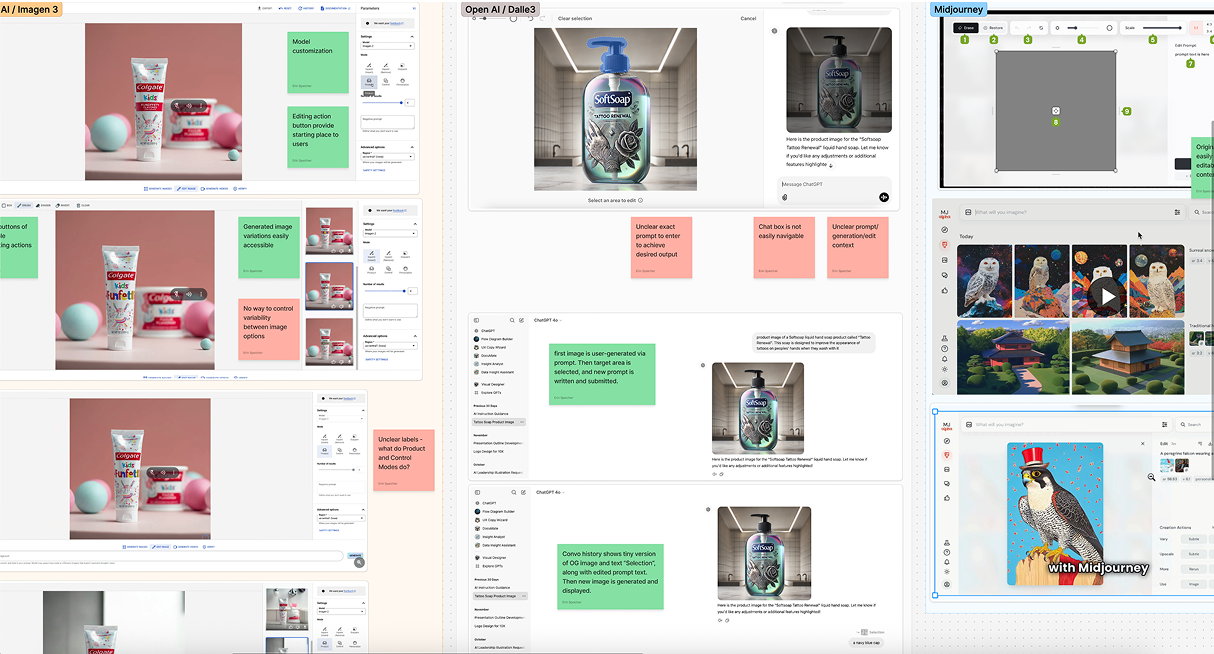
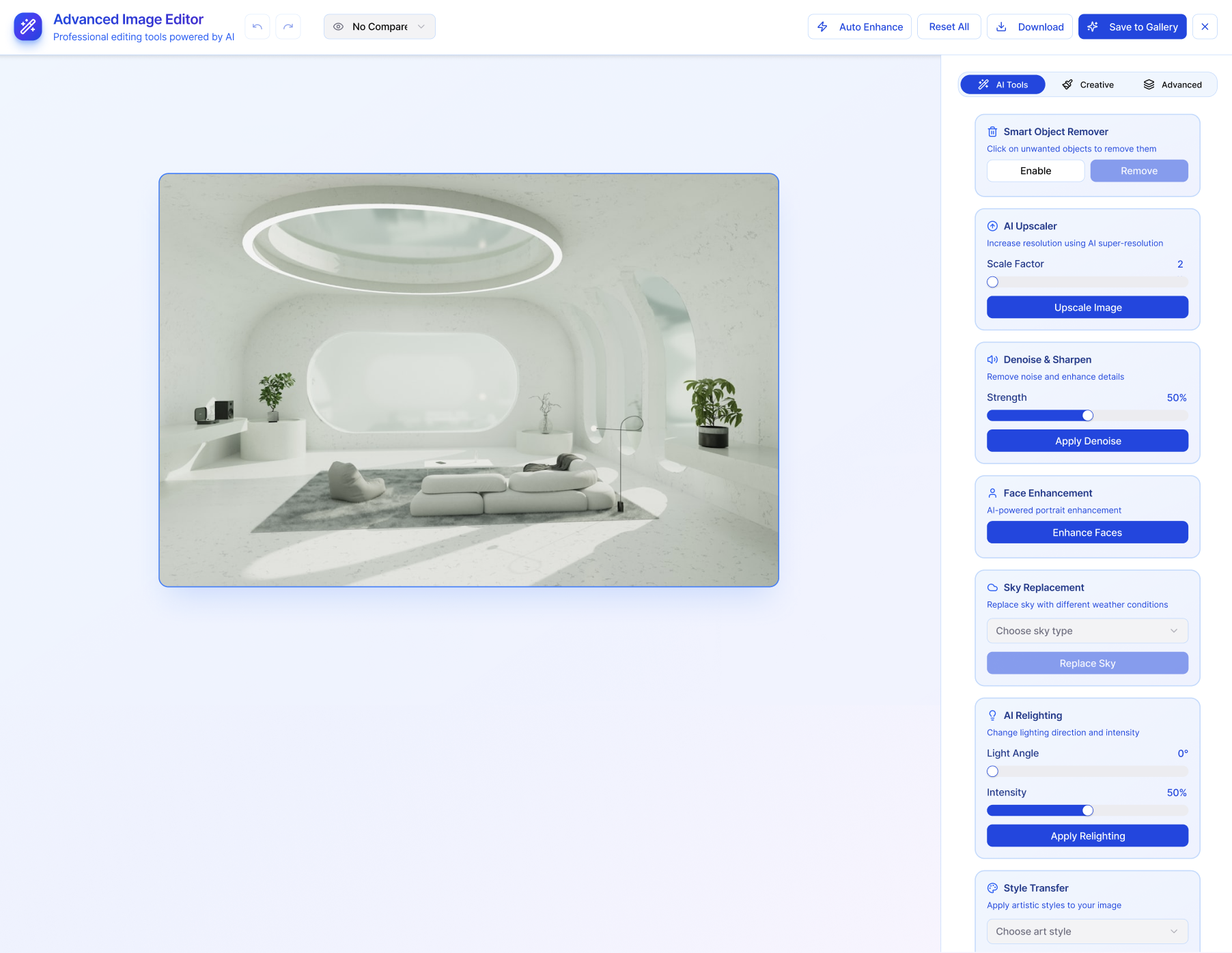
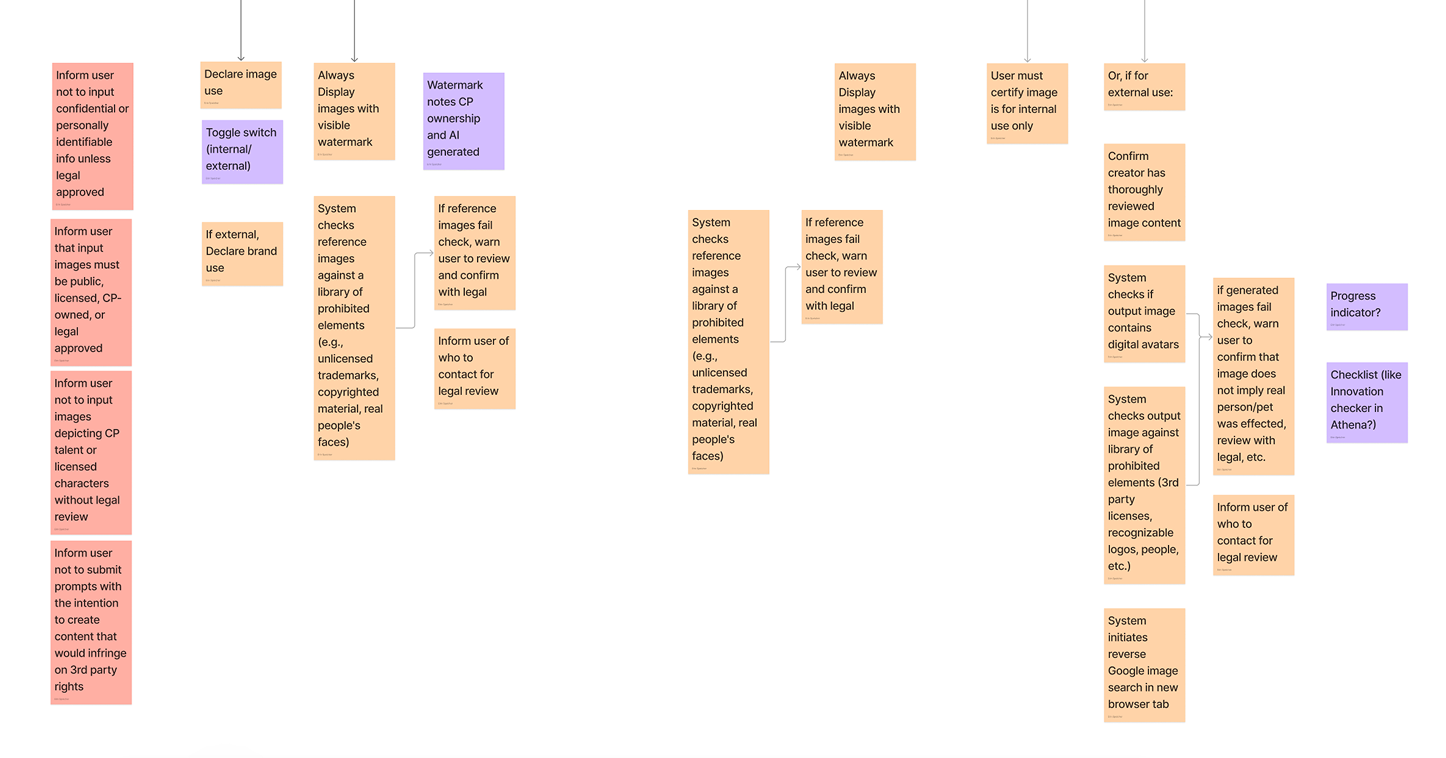
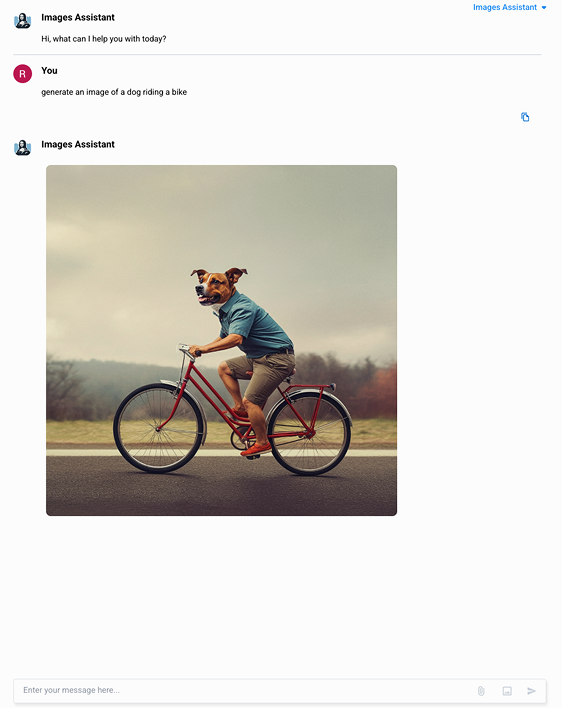
The previous experience lacked essential functionality—users couldn't edit prompts or images, which forced them to start over each time they wanted to make changes. There was no library to access previously generated images, and no built-in safeguards to prevent users from creating content that violated company guidelines. It was far below the standard for AI image generators, and therefore we conducted a competitive analysis to help discover the best practices for designing image generators. Following that analysis we gathered as a team and labeled different aspects of the tools that we would like to implement into our own image generator.

Design System Piece
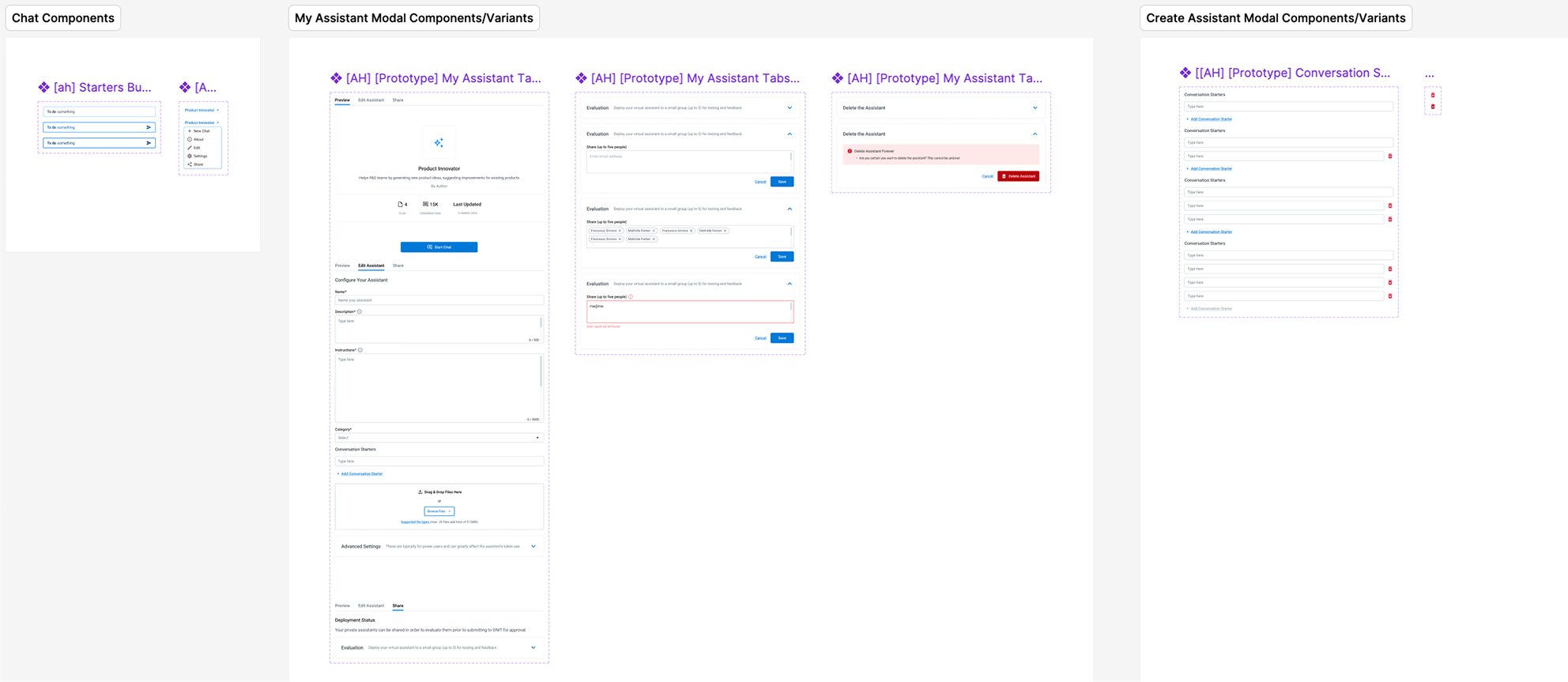
Piece of the image gen design system

Approach

The central design decision was where governance should live. We chose to enforce brand alignment at the prompt and reference image stage, not post-generation, so users got usable output on the first try instead of iterating through violations. This required designing a check that activated when users uploaded a reference image, validating it against brand guidelines before generation began.

From there, we structured the experience around two modes: prompting and editing. Keeping these distinct reduced cognitive load and let users build confidence in the tool incrementally. We also built a modular design system around the generator to ensure future feature additions wouldn't require redesigning existing flows.

Dialogue Structure High Fidelity Design

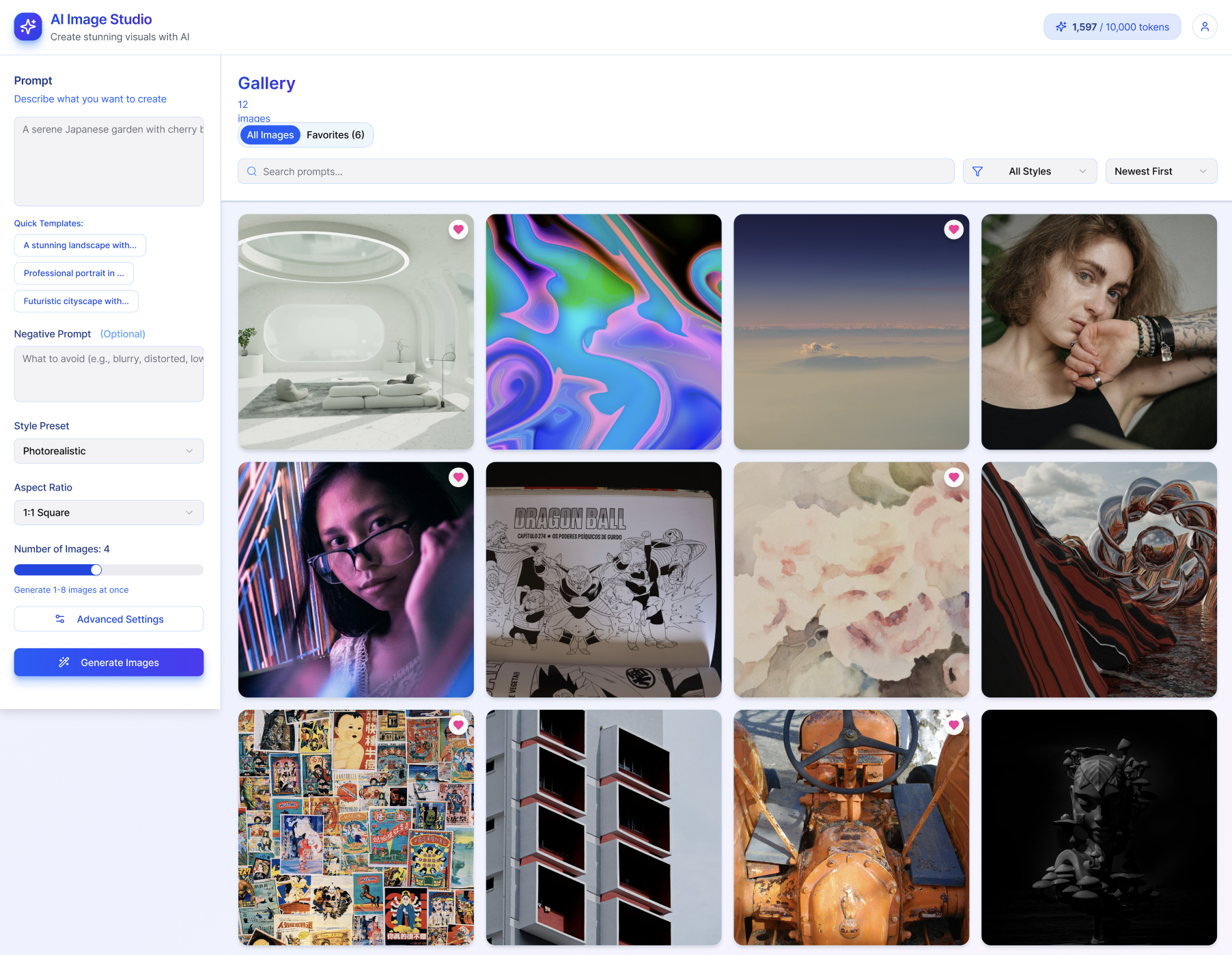
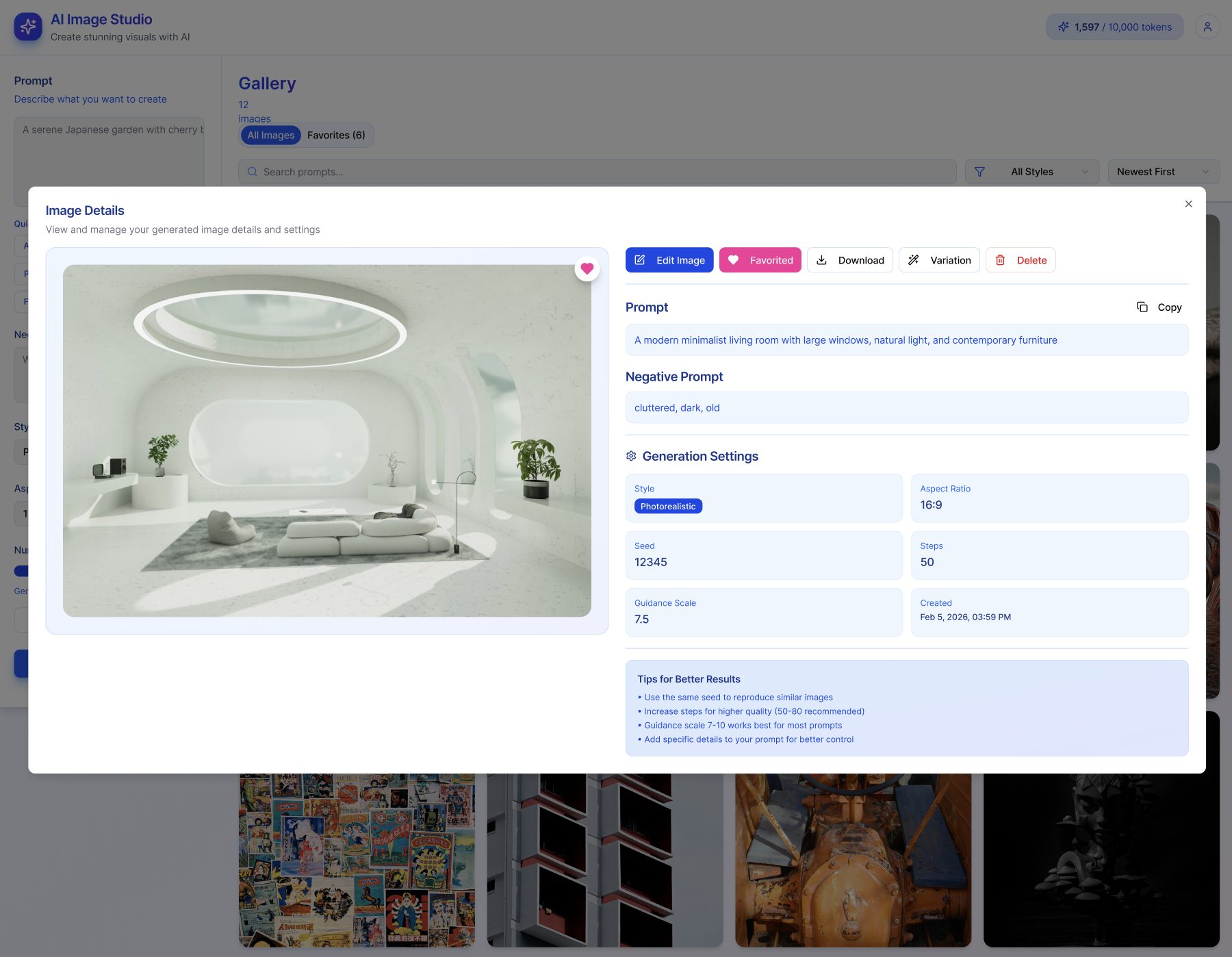
After the wireframes were finalized, we moved into high-fidelity UI design, translating our concepts into a visual system ready for developer handoff. This involved defining the web app's visual identity in alignment with Colgate's brand guidelines, while ensuring consistency with modern UI best practices. One of our key achievements was designing an experience that was both intuitive for beginners and robust enough for power users. We focused on creating a "learnable" platform—one that encouraged exploration and experimentation, helping users discover the right tools to generate their best possible images.

Impact

Impact

Users 17% Increase in users
Savings 22% Agency decrease in price
Images 7381 New images created per month